7950 Legacy Drive, Suite 400, Plano, TX 75024
  469-375-9656
  info@planowebsitedesign.com






If you own a small business in the Dallas-Fort Worth area, there is one digital asset that directly controls whether local customers find you or your competitor. That asset is your Google Business Profile.
When someone in Plano searches “best HVAC company near me” or a Fort Worth resident looks up “top-rated dentist in Arlington, Texas,” Google does not randomly pick results. It relies on a set of well-documented ranking signals, and your Google Business Profile sits at the center of all of them.
This complete guide covers every aspect of Google Business Profile optimization for DFW small businesses. Whether you are a restaurant owner in Irving, a contractor in Arlington, or a salon operator in Dallas, this pillar guide gives you a step-by-step framework to improve your local search visibility, rank in the Google Map Pack, and convert more searchers into paying customers.
This content is built on real local SEO experience, Google’s own published guidelines, and proven optimization practices used by businesses across the Dallas-Fort Worth metro. It follows the EEAT framework (Experience, Expertise, Authoritativeness, and Trustworthiness), which means everything here is actionable, accurate, and written to genuinely help you grow your local business.
Table of Contents
What Is Google Business Profile and Why Does It Matter for Local SEO in DFW?
Google Business Profile (formerly known as Google My Business) is a free tool that allows businesses to manage how they appear on Google Search and Google Maps. When you search for a local business, you see a panel on the right side of the screen or a group of three listings above the organic results. That is called the Google Local Pack or Google Map Pack, and your GBP listing is what gets you there.
For DFW small businesses, ranking in the Google Map Pack is critical because:
The Dallas-Fort Worth metro is one of the largest and fastest-growing regions in the United States, with over 7.5 million residents spread across cities like Dallas, Fort Worth, Plano, Arlington, Irving, Garland, McKinney, Frisco, and beyond.
Local searches dominate consumer behavior. Studies consistently show that nearly half of all Google searches have local intent, meaning people are looking for products or services near them right now.
Zero-click searches are rising. More users are getting the information they need directly from the Google Business Profile listing, without ever visiting a website. This means your GBP is often the first and only impression a potential customer gets.
In short, if your Google Business Profile is incomplete, unoptimized, or neglected, you are leaving real money on the table in one of the most competitive local markets in Texas.
Step 1: Claim and Verify Your Google Business Profile
Before any optimization work begins, you need to claim and verify your listing. This is the foundation.
Visit business.google.com and sign in with your business Google account. Search for your business name. If a listing already exists, claim it. If not, create a new one from scratch.
After submitting your business information, Google will ask you to verify your listing. Verification methods include:
Postcard by mail: Google sends a postcard to your business address with a verification code. This is the most common method and typically takes 5 to 14 days.
Phone or email verification: Available for some business categories.
Video verification: Google may ask you to record a video showing your business location, signage, and operations.
Instant verification: Available if your business website is already verified in Google Search Console.
For DFW small businesses operating out of a physical location, postcard verification is the most common path. Make sure your address is accurate before requesting the card.
Once verified, you have full control over your listing and can begin the optimization process.
Step 2: Complete Every Section of Your GBP Profile
Incomplete profiles rank lower. It is that simple. Google rewards businesses that provide complete, consistent, and accurate information because it builds trust for searchers.
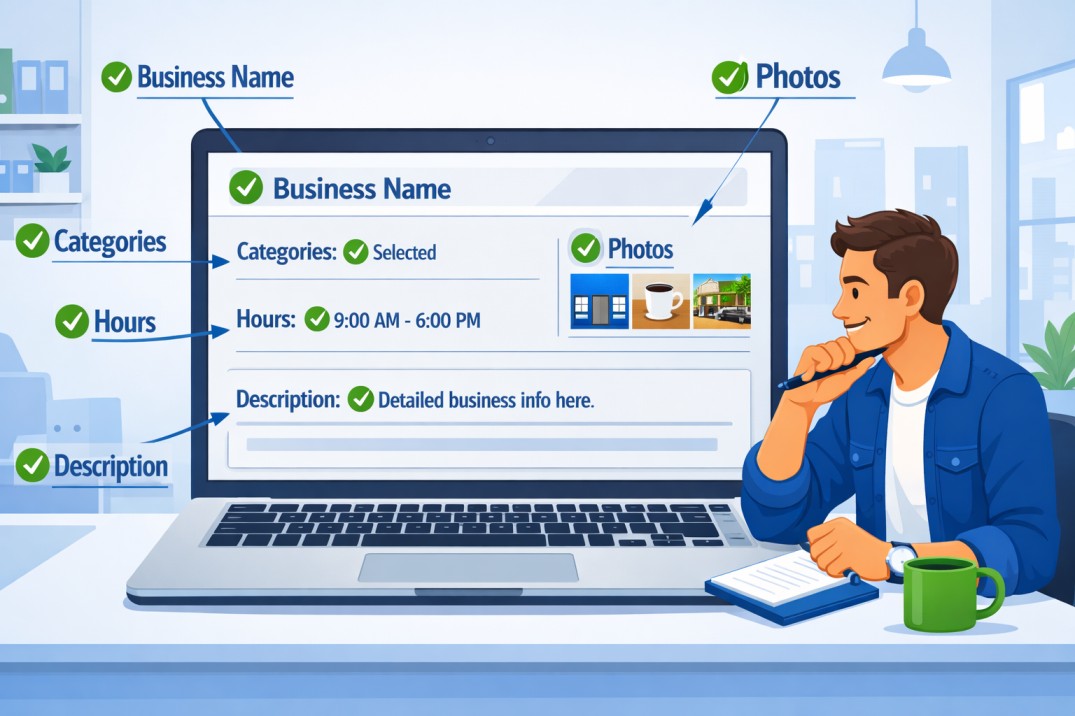
Here is every section you need to fill out completely:
Business Name
Use your exact, real-world business name. Do not stuff keywords into your business name. Google penalizes keyword stuffing in business names, and it can get your listing suspended. If your business is called “Rodriguez Plumbing,” your GBP name should be “Rodriguez Plumbing,” not “Rodriguez Plumbing DFW Best Plumber Dallas TX.”
Business Categories
This is one of the most important GBP ranking factors. Choose the most accurate primary category for your business. Then add relevant secondary categories that describe additional services you offer.
For example, a general contractor in Fort Worth might use “General Contractor” as the primary category and add “Roofing Contractor,” “Kitchen Remodeling,” and “Bathroom Remodeler” as secondary categories.
Take time to research competitor categories. Search your main service keyword in Dallas or Fort Worth, look at the top-ranking Map Pack listings, and check what categories they are using.
Business Description
Your business description is 750 characters and is a prime opportunity to naturally incorporate your target keywords while describing what makes your business unique.
A strong description for a DFW business might read:
“We are a family-owned HVAC company serving the Dallas-Fort Worth area since 2009. Our licensed technicians specialize in AC repair, heating installation, and preventative maintenance for homeowners and commercial properties across Plano, Irving, Arlington, and surrounding DFW communities. We pride ourselves on same-day service, upfront pricing, and guaranteed workmanship.”
Notice how this description includes location signals (Dallas Fort Worth, Plano, Irving, Arlington), service keywords (AC repair, heating installation), and trust signals (family-owned, licensed, since 2009, guaranteed).
NAP Consistency: Name, Address, Phone Number
Your business name, address, and phone number must be identical across your GBP, website, social media profiles, and local directory listings. Even small inconsistencies like “Street” vs “St.” can confuse Google’s algorithm and hurt your local SEO ranking.
This principle, known as NAP consistency, is a foundational local SEO factor. For DFW businesses listed on directories like Yelp, YellowPages, Angi, and the Better Business Bureau, audit each listing to ensure the NAP data matches your GBP exactly.
Business Hours
Keep your hours accurate and update them for holidays, special events, and seasonal changes. Google displays your hours prominently in search results, and incorrect hours lead to frustrated customers and negative reviews. Use the “Special Hours” feature for holidays like Thanksgiving, Christmas, and New Year’s Day.
Website URL
Link directly to your main website homepage or a relevant landing page. If you are targeting multiple service areas across DFW, consider linking to a location-specific landing page to improve relevance.
Phone Number
Use a local phone number with a 214, 469, 972, 817, or 682 area code rather than a toll-free number. Local area codes reinforce geographic relevance and build trust with DFW customers who prefer calling a local business.
Step 3: Optimize Your Google Business Profile for DFW Keywords
Keyword optimization on your GBP is not about stuffing search terms everywhere. It is about strategically placing relevant, location-specific language in the right fields to signal to Google exactly who you serve and where.
Where to Use Keywords on Your GBP
Business Description: As discussed above, weave in your primary service keywords along with DFW city names naturally. Mention specific cities you serve, such as Dallas, Fort Worth, Plano, Arlington, Irving, Frisco, McKinney, and Garland, depending on your actual service area.
Services Section: List all of your services individually. Each service entry allows a name and description. Write clear, keyword-rich descriptions for each service. For example, instead of just listing “Roofing,” write “Roof Replacement Dallas TX” with a description that includes phrases like “storm damage roof repair Fort Worth” or “residential roofing services DFW.”
Products Section: If you sell products, list them with descriptions that include relevant keywords.
GBP Posts: These function like social media posts directly on your listing and are an underused keyword placement opportunity (covered in detail below).
Q&A Section: Seed your own questions and answers using keywords your customers are likely to search.
Step 4: Google Business Profile Photos and Videos
Visual content is one of the most impactful but consistently overlooked elements of GBP optimization. Listings with photos receive significantly more direction requests and website clicks than listings without photos.
What Photos to Upload
Upload a mix of the following photo types:
Cover photo: This is the first image people see. Use a high-quality, professional image that represents your brand. For a restaurant in Dallas, this might be your most popular dish or your dining room. For a contractor in Fort Worth, it might be a before-and-after project shot.
Logo: Upload a clear, high-resolution logo. This helps with brand recognition in search results.
Interior photos: Show your workspace, office, or store interior. This builds trust by letting customers know what to expect.
Exterior photos: Show your building, storefront, or signage so customers can find you easily.
Team photos: Put faces to your business. Photos of your team working build authenticity and trust, which are core EEAT signals.
Product and service photos: Show your work. Before-and-after photos are especially effective for service businesses like painters, landscapers, cleaners, and remodelers.
Photo Best Practices for DFW Businesses
Upload photos regularly, not just once. Google favors active, frequently updated listings.
Use real photos of your actual business rather than stock images. Google can detect stock photos, and they do nothing to build trust with real customers.
Name your photo files with descriptive, keyword-rich filenames before uploading. For example, “dallas-kitchen-remodel-before-after.jpg” is better than “IMG_3847.jpg.”
Consider adding short video clips (up to 30 seconds) of your work, team, or location. Video content increases engagement and time spent on your listing.
Step 5: Build and Manage Google Reviews
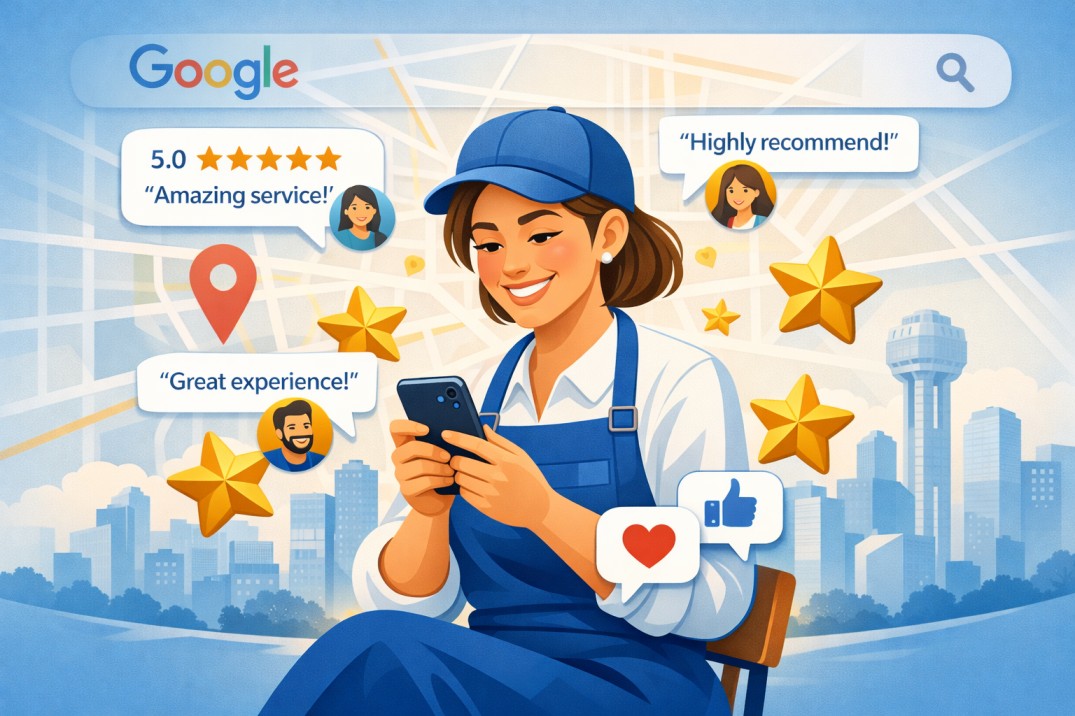
Google reviews are the single most powerful trust and ranking signal in local SEO. For DFW small businesses competing in crowded markets, a strong review profile separates you from the pack.
Why Reviews Matter for Google Business Profile Ranking
Google’s algorithm uses three core factors to rank local businesses: Relevance, Distance, and Prominence. Reviews directly impact Prominence. A business with 150 reviews averaging 4.7 stars will almost always outrank a competitor with 12 reviews averaging 4.2 stars, assuming all other factors are equal.
How to Get More Google Reviews for Your DFW Business
Ask every satisfied customer: The simplest and most effective strategy is to train your team to ask for reviews at the point of service completion. A plumber finishing a job in Plano, a stylist completing a haircut in Irving, or a restaurant server at the end of a meal in Dallas should have a script ready to invite a review.
Send a follow-up text or email: After completing a service, send a direct link to your Google review page. Make it as easy as possible. The fewer clicks it takes, the more reviews you will get.
Create a short Google review link: Go to your GBP dashboard, find your review link, and shorten it with a tool like Bitly. Print it on receipts, business cards, door hangers, or in email signatures.
Use signage in your location: A simple sign at your front desk, checkout counter, or service area that says “Loved our service? Leave us a Google review!” with a QR code can generate a steady stream of organic reviews.
How to Respond to Google Reviews
Responding to reviews is both a customer service best practice and an SEO strategy. Google notices when businesses actively engage with their reviews.
Respond to every review, both positive and negative.
For positive reviews, thank the customer by name, mention the specific service or location, and invite them to return. For example: “Thank you so much, Maria! We are so glad our team could help with your AC repair in Plano. We look forward to serving you again!”
For negative reviews, respond professionally, acknowledge the concern, and offer to resolve it offline. Never argue with a reviewer publicly. A thoughtful, calm response to a negative review often impresses potential customers more than the review itself.
Never buy fake reviews. Google actively detects and removes fake reviews, and businesses caught doing this face suspension. In a competitive DFW market, the risk is never worth it.
Step 6: Use Google Business Profile Posts
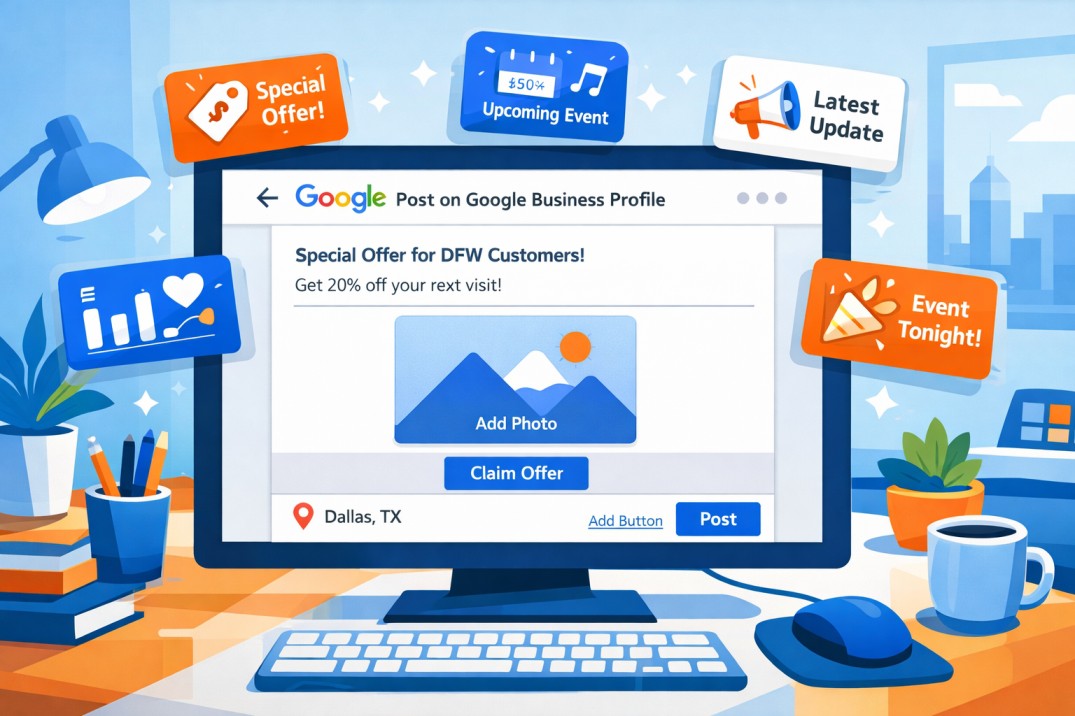
GBP Posts are one of the most underutilized features available to DFW small businesses. They appear directly in your Google listing and give you a way to share updates, offers, events, and new content without requiring customers to visit your website.
Types of GBP Posts
What’s New Posts: Share business updates, announcements, or general content. These are great for blog summaries, new service launches, or community involvement.
Offer Posts: Promote a discount or special deal. Include a clear call to action and expiration date. For example, a Fort Worth HVAC company might post “Summer AC Tune-Up Special: $49 for DFW Homeowners. Book before July 31st.”
Event Posts: Promote workshops, open houses, grand openings, or local events your business is hosting or participating in.
Product Posts: Highlight specific products with a photo, description, and price.
GBP Post Best Practices
Post at least once per week to signal to Google that your business is active and engaged.
Include your target keywords naturally in every post. Phrases like “serving Dallas Fort Worth homeowners,” “available in Arlington and Plano,” or “Fort Worth’s most trusted electricians” reinforce your geographic relevance.
Include a strong call to action in every post. Options include “Call Now,” “Book Online,” “Learn More,” or “Get Offer.”
Add a high-quality photo to every post. Posts with images consistently outperform text-only posts.
Step 7: Google Business Profile Q&A Section
The Q&A section on your GBP listing allows anyone to ask a question and anyone (including you) to answer. This is a critical section that many DFW small businesses completely ignore.
Proactively seed your own questions and answers. Think about the most common questions your customers ask before hiring you and add them with thorough, keyword-rich answers.
Examples for a DFW landscaping company:
Q: Do you provide landscaping services in Fort Worth and Arlington? A: Yes, we serve the entire DFW metro, including Fort Worth, Arlington, Mansfield, Burleson, and surrounding areas. Contact us for a free estimate.
Q: Are you licensed and insured for landscaping work in Texas? A: Absolutely. We are fully licensed and insured to operate in the state of Texas. We carry general liability insurance and workers’ compensation for every project.
Monitor this section regularly. Customers and even competitors can post questions. If you do not answer them, Google may surface answers from the public that could be inaccurate or unhelpful.
Step 8: Service Area Settings for DFW Businesses
If your business serves customers at their location rather than at a fixed address (such as plumbers, electricians, dog groomers, photographers, or delivery services), you need to set up your Service Area correctly.
In your GBP dashboard, you can add specific cities, zip codes, or regions you serve. For a DFW-based business, you might add:
Dallas, Fort Worth, Plano, Arlington, Irving, Garland, McKinney, Frisco, Mesquite, Grand Prairie, Carrollton, Denton, Lewisville, Richardson, Allen, Flower Mound, North Richland Hills, Euless, Bedford, and Hurst.
Be realistic with your service area. Do not add 50 cities just to appear in more searches if you cannot realistically serve customers there. Google’s algorithm is smart enough to detect low-quality signals, and customers who call expecting service outside your real range will leave negative reviews.
Step 9: Local Citation Building for DFW Businesses
Citations are online mentions of your business name, address, and phone number on third-party websites. They are a foundational local SEO signal that reinforces your geographic relevance to Google.
Priority citation sources for DFW small businesses include:
Yelp, YellowPages, Better Business Bureau (BBB), Angi (formerly Angie’s List), Houzz (for home service businesses), TripAdvisor (for hospitality and restaurants), Facebook Business Page, Apple Maps, Bing Places, and industry-specific directories relevant to your trade.
Local DFW directories and Chamber of Commerce listings are also valuable. Look for listings on the Dallas Regional Chamber, Fort Worth Chamber of Commerce, and city-specific business directories for Plano, Arlington, and other cities where you operate.
Consistency is everything. Every citation must match your GBP exactly in terms of business name, address, and phone number.
Step 10: Monitor Your GBP Insights and Performance
Google provides built-in analytics through your GBP dashboard called Performance Insights. Reviewing these metrics regularly helps you understand what is working and where to improve.
Key metrics to track include:
Search queries: What keywords are people using to find your listing? This helps you understand which terms are already driving traffic and which ones to target more aggressively.
Views: How many times did your listing appear in search results and on Google Maps?
Direction requests: How many people clicked for directions to your business?
Phone calls: How many people called directly from your listing?
Website clicks: How many people visited your website from your GBP?
Photo views: Which photos are getting the most views?
Review these metrics monthly. If direction requests are high but phone calls are low, consider adding a more prominent “Call Now” button or updating your phone number. If search views are low, revisit your categories, description, and keyword strategy.
Common GBP Mistakes DFW Small Businesses Make
Even well-intentioned business owners make mistakes that hurt their Google Business Profile ranking. Here are the most common errors to avoid:
Keyword stuffing in the business name: This violates Google’s guidelines and can lead to listing suspension. Keep your business name clean and accurate.
Ignoring reviews: Not responding to reviews, especially negative ones, is a missed opportunity to build trust and demonstrate customer care.
Incomplete profiles: Missing hours, no photos, no business description, and no services listed all signal to Google that your listing is low quality.
Inconsistent NAP data: Even minor differences across directories confuse Google and dilute your local authority.
Never posting updates: Dormant listings rank lower than active ones. Commit to at least one GBP post per week.
Using a PO Box or virtual address: Google requires that service area businesses use a real, verifiable address if they choose to display one. Using a PO Box or virtual office address that does not reflect where you actually operate can result in listing suspension.
Final Thoughts: Building a Long-Term Local SEO Strategy for Your DFW Business
Google Business Profile optimization is not a one-time task. It is an ongoing commitment that pays dividends in the form of more local visibility, more phone calls, more direction requests, and more revenue for your Dallas-Fort Worth small business.
The businesses that consistently dominate the Google Map Pack in competitive DFW markets share common habits. They keep their profiles complete and up to date. They upload fresh photos regularly. They earn and respond to reviews consistently. They post updates weekly. They build citations across trusted directories. And they monitor their performance data to keep improving.
If you are a DFW small business owner who wants to rank higher on Google Maps, attract more local customers, and build a sustainable pipeline of leads from local search, start with the fundamentals outlined in this guide and commit to the process long term.
Local SEO in Dallas-Fort Worth is competitive, but it rewards businesses that put in genuine effort to serve their customers well both online and offline. Your Google Business Profile is the bridge between that effort and the customers who are actively looking for exactly what you offer right now.
Start today. Claim your listing, complete every section, upload real photos, ask your best customers for reviews, and post an update this week. Each small step compounds into a powerful local search presence that drives real growth for your DFW small business.