7950 Legacy Drive, Suite 400, Plano, TX 75024
  469-375-9656
  info@planowebsitedesign.com







The new site launches on a Thursday. It is faster; it looks more like the business than like 2018, and everybody is pleased. Six weeks later, somebody notices the enquiries have thinned out, and the theory that gets offered is that Google needs time to adjust.
TL;DR
Ranking loss after a rebuild is rarely caused by the design. It is caused by URLs that changed without anybody mapping the old ones to the new ones.
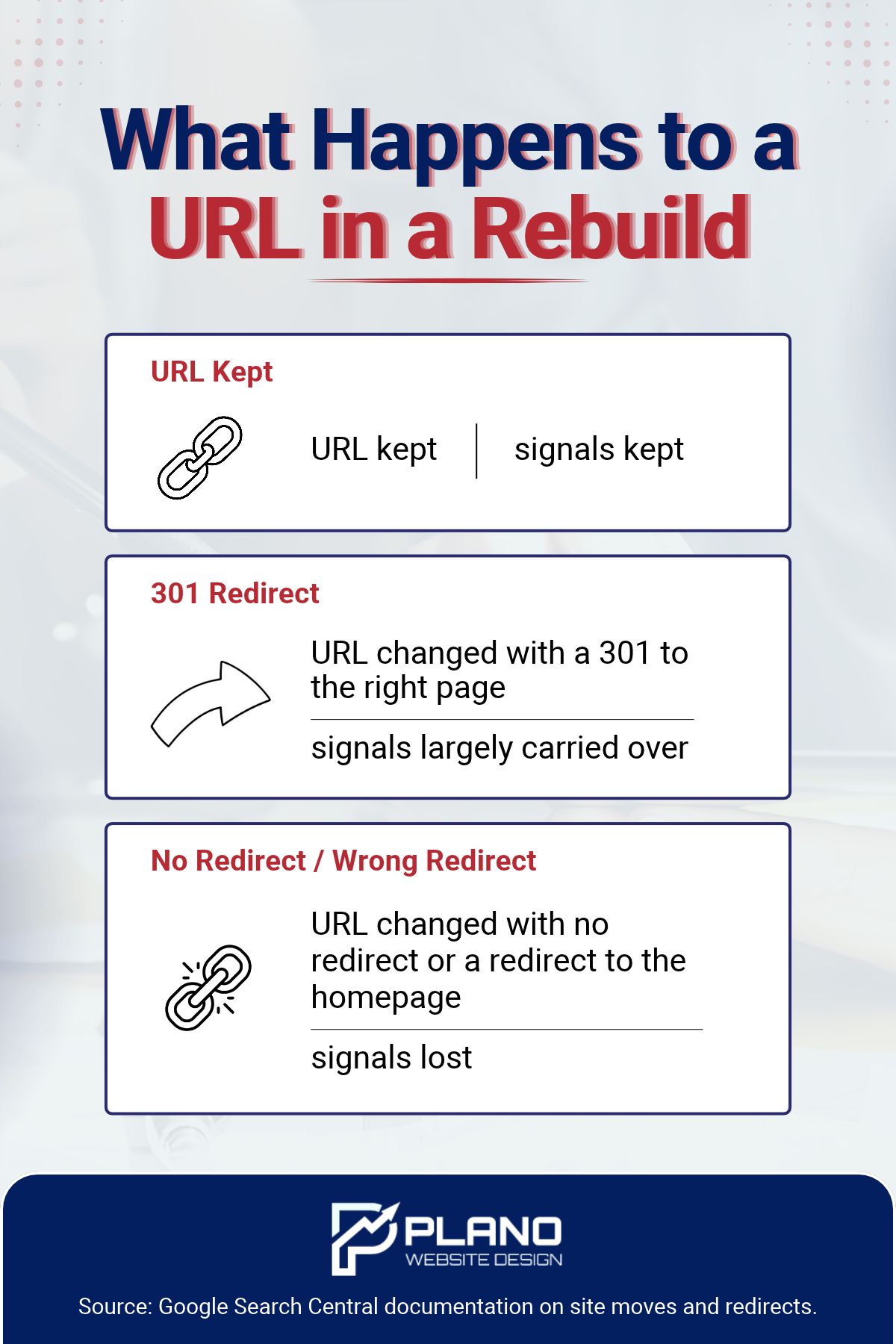
Google’s own documentation is specific about the mechanism: a permanent redirect shows the new target in search results, while a temporary redirect keeps showing the source page, and server-side redirects are the type Google is most likely to interpret correctly. Where no redirect exists at all, the old URL simply stops resolving, and everything it had earned goes with it.
The work that prevents this is a redirect map, built from a crawl of the old site before it is switched off, and it is the cheapest insurance in the whole project. Build it first, and a rebuild is invisible in the numbers. Build it after launch, and you are recovering from a position you can no longer see clearly.
Table of Contents
What Actually Breaks
A redesign changes several things at once, which is why the cause is hard to isolate afterwards. Only some of them matter to search.
| What changes | Does it cost rankings? |
| Visual design, colours, layout | No, by itself |
| Copy rewritten on the same URLs | Sometimes, depending on what was removed |
| URL structure changed | Yes, unless every old URL is redirected |
| Pages consolidated or dropped | Yes, unless each one is redirected to its closest match |
| Platform changed | Only through the URL and content changes it causes |
| Internal linking rebuilt from a new menu | Yes, gradually, as orphaned pages lose support |
Notice how many rows come back to URLs. A rebuild is an opportunity to tidy up a messy structure, and tidying up a structure means changing addresses. That is the moment the risk enters, and it enters silently because nothing looks broken to a visitor arriving at the homepage.
What Google Says About Redirects
The documentation is short and worth reading before any rebuild is scoped.
Google describes redirecting as resolving an existing URL to a different one, telling both visitors and Google Search that a page has a new location. It names moving to a new domain, consolidating multiple URLs for the same content, merging two websites, and removing a page as circumstances where redirects matter.
The distinction that decides your outcome is between permanent and temporary. Google states it plainly: permanent redirects show the new redirect target in search results, while temporary redirects show the source page in search results. It also notes that Google Search uses certain redirect types as a signal that the redirect target should be canonical.
There is a hierarchy of setup too. Google lists redirect types ordered by how likely it is to interpret them correctly, and a server-side redirect has the highest chance, with HTTP 301 and HTTP 308 at the top and meta refresh further down. The guidance is in Google’s documentation on redirects and Google Search.
One line in it is a direct warning for rebuild projects: use permanent redirects when you are sure the redirect will not be reverted. A team that redirects temporarily “until we are sure the new site is right” has chosen the option that tells Google to keep showing the old URL, which is the opposite of what they want.
What 301 and 308 actually mean
Worth knowing, because the numbers get used loosely and they are defined in the web’s own standard rather than by any search engine.
The HTTP specification defines 301 (Moved Permanently) as indicating that the target resource has been assigned a new permanent URI, and that future references to the resource ought to use one of the enclosed URIs. It defines 308 (Permanent Redirect) in the same terms. Both are set out in RFC 9110, the HTTP Semantics specification, published by the Internet Engineering Task Force.
The practical difference between the two is about how the request method is handled rather than about search, and for a straightforward page-to-page migration either satisfies Google’s permanent category. What matters is that the server returns one of them rather than a temporary code.
That is also why testing matters more than configuring. A redirect that was intended as permanent and returns a temporary status is indistinguishable from a correct one until somebody checks the response.
The plugin trap
On a platform like WordPress, redirects are usually handled by a plugin, and plugins default to whatever they default to. Somebody sets up a hundred redirects in an afternoon without ever seeing the words 301 or 302, and the setting that decides the outcome is a dropdown nobody looked at.
Check the type on a sample of live redirects after launch, not on the settings screen. What the server actually returns is the only thing that counts.
Build the Map Before You Build the Site
Here is the sequence that prevents the whole problem, and the part that has to happen first is the part that usually happens last.
- Crawl the existing site before anything is switched off. Every URL that returns a 200, not just the ones in the menu. Old blog posts, old service pages, old landing pages from campaigns nobody remembers
- Pull the pages that actually earn something, from Search Console and analytics. A page with no links and no traffic can be dropped; a page with either cannot
- Map each old URL to its closest equivalent on the new site. One row per URL, no exceptions
- Decide the genuine orphans deliberately. Where nothing on the new site matches, the honest options are to recreate the content or to redirect to the most relevant parent section
- Set them up as server-side permanent redirects, then test a sample of them live
- Update the internal links to point at the new URLs directly, rather than relying on the redirects to carry them
Step six is the one that gets skipped, and it is worth understanding why it matters. A redirect passes the request. It does not fix a site whose own navigation still points at addresses that no longer exist, and a chain of internal links through redirects is a maintenance problem you inherit permanently.
What “closest equivalent” means
Not the homepage. Redirecting fifty retired pages to the homepage is the default a rushed project reaches for, and it tells Google that fifty different topics are all now the homepage, which is not a claim it can act on usefully.
A page about one service maps to the new page about that service. A retired blog post maps to the post that replaced it, or to the section it belonged to. If neither exists, that is a content decision, not a redirect decision.
The Pages Nobody Remembers Are the Ones That Earn
A pattern worth expecting, because it catches experienced teams as often as inexperienced ones.
The pages a business thinks of as its website are the ones in the menu. The pages that bring in work are frequently not those at all. An article written four years ago to answer one customer’s question, a landing page from a campaign that ended, a location page created for a market the business no longer prioritises: these accumulate links and rankings quietly, and nobody on the project has thought about them in years.
When the rebuild scope is written from the menu, those pages are invisible. They do not appear in the sitemap the designer works from, nobody builds a replacement, and at launch they simply cease to exist.
This is exactly why step one is a crawl rather than a conversation. A crawl finds what is there. A meeting finds what people remember, and those are different lists.
The Search Console side of the same check is worth doing at the same time. Sort by clicks and impressions over the last year and look at the bottom half of the list, not the top. The top is the pages everyone already knows about. The bottom is where the surprises live, and where a rebuild does its unnoticed damage.
Removing Pages on Purpose
Some pages should not survive a rebuild, and there is a right way to retire them.
Google’s guidance on removing a page hosted on your own site notes that its Removals tool is for quick removal from search results, that requests made through it last about six months, and that permanent removal requires actually removing or updating the content, or password-protecting the page. It is worth knowing that the fast tool is temporary by design. The documentation is Google’s page on removing a page hosted on your site.
The same guidance makes a point that applies directly to rebuilds: different URLs can often point to the same page, so all variations of a URL need handling rather than just the one you happen to have. On an old site with uppercase and lowercase variants, query-string versions, and both www and non-www, that is not a hypothetical.
The Fortnight After Launch
Most of the damage from a bad migration is invisible for weeks, so the checks matter more than the launch-day excitement.
Watch for these, in this order:
- Crawl the new site and list every 404. Then compare that list against the old crawl. Anything on the old list that now 404s is a missing redirect
- Check that redirects return the type you intended, sampled from the live site
- Watch Search Console’s page indexing report for a rise in “not found” or “redirect error” entries
- Compare landing pages, not totals. Total sessions can hold steady while the pages that used to bring in enquiries quietly stop appearing
- Check the pages that mattered most, individually, by searching for the terms they used to rank for
That last one is the fastest read available, and nobody does it. Take the five pages that produced work before the rebuild, search the queries they used to appear for, and see what comes back.
If the old URL still appears, the redirect is not doing its job. If nothing appears, the page has been dropped rather than moved.
When a Rebuild Is Worth the Risk Anyway
The honest position is that most sites that need rebuilding should be rebuilt. The risk is manageable, and the alternative is often worse.
A site that is slow, unusable on a phone, impossible to update, or built on something unmaintained is costing enquiries every day it stays up. Speed and usability are worth having for their own sake, and our piece on Core Web Vitals covers what actually gets measured.
The argument here is not against rebuilding. It is that the redirect map is not an optional line item to be dropped when the budget tightens. It is the difference between carrying the site’s history forward and starting again from zero with a nicer template. A cheap rebuild that loses the rankings is not cheap, which is the same arithmetic we set out in the real cost of a cheap website.
If you are planning one, our guide to web design in Plano covers the wider project, and web design choices that affect rankings covers the build decisions themselves.
Ask These Five Questions Before You Sign
Any proposal for a rebuild should be able to answer all five.
| Ask | What a good answer sounds like |
| Will any URLs change? | A clear yes or no, with the structure shown |
| Who builds the redirect map, and when? | Before launch, from a crawl of the current site |
| What redirect type, and implemented how? | Server-side, permanent |
| Will internal links be updated to the new URLs? | Yes, rather than relying on redirects |
| What is checked in the two weeks after launch? | A named list including a 404 crawl and landing page comparison |
A proposal that treats the redirect map as a post-launch task has priced a rebuild without pricing the risk. That is worth knowing before the contract rather than after the traffic.
Scope the Rebuild’s Redirect Map Before the Design Starts
If a rebuild is on the horizon, the redirect map is the first deliverable rather than the last, and it costs far less than recovering from a launch that did not have one. Plano Website Design handles WordPress design and development and will scope the migration side before anybody picks a colour palette. Start with a conversation.